
Techrar (تكرار)


Before installing Tamara Payments App at Techrar:
To proceed, you first need to have a merchant account set up with Tamara. If you don’t already have an account, sign up by clicking here or contact the Tamara commercial team to assist you.
Integration Steps:
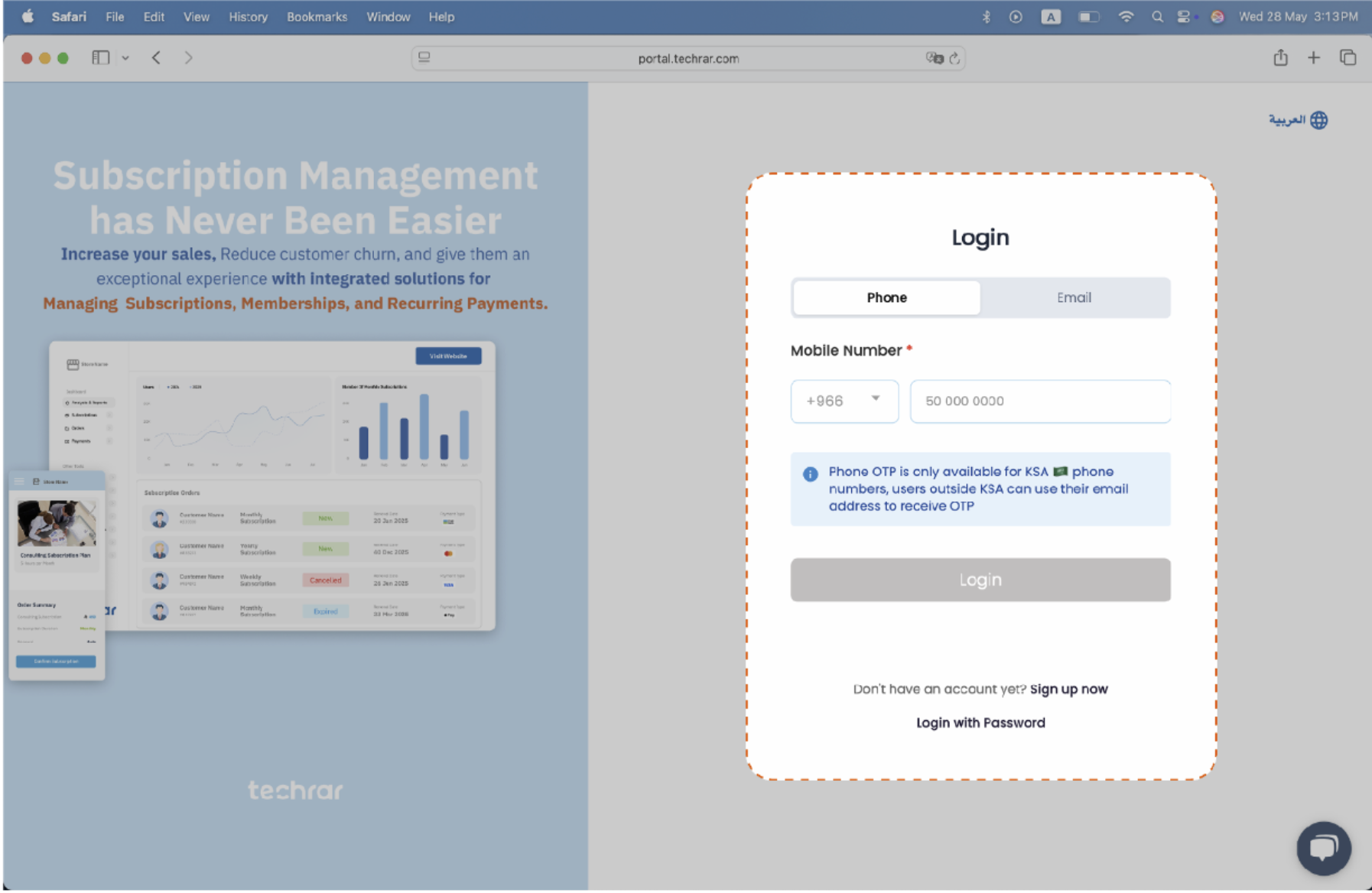
Step 1:
Login to your Techrar account at https://portal.techrar.com/login.
Step 2:
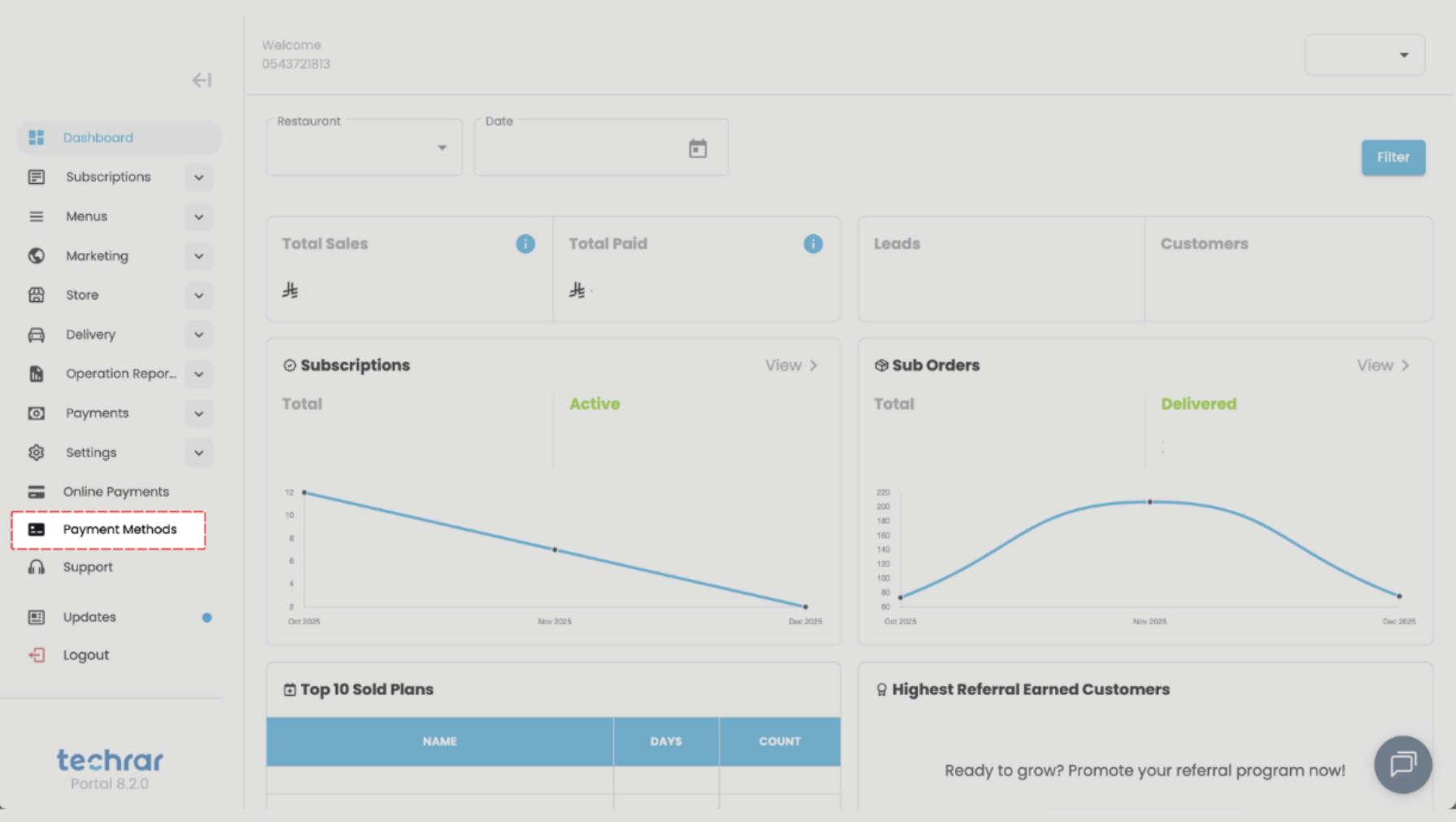
Navigate to Store Settings > Payment Methods from the side menu in the control panel.
Step 3:
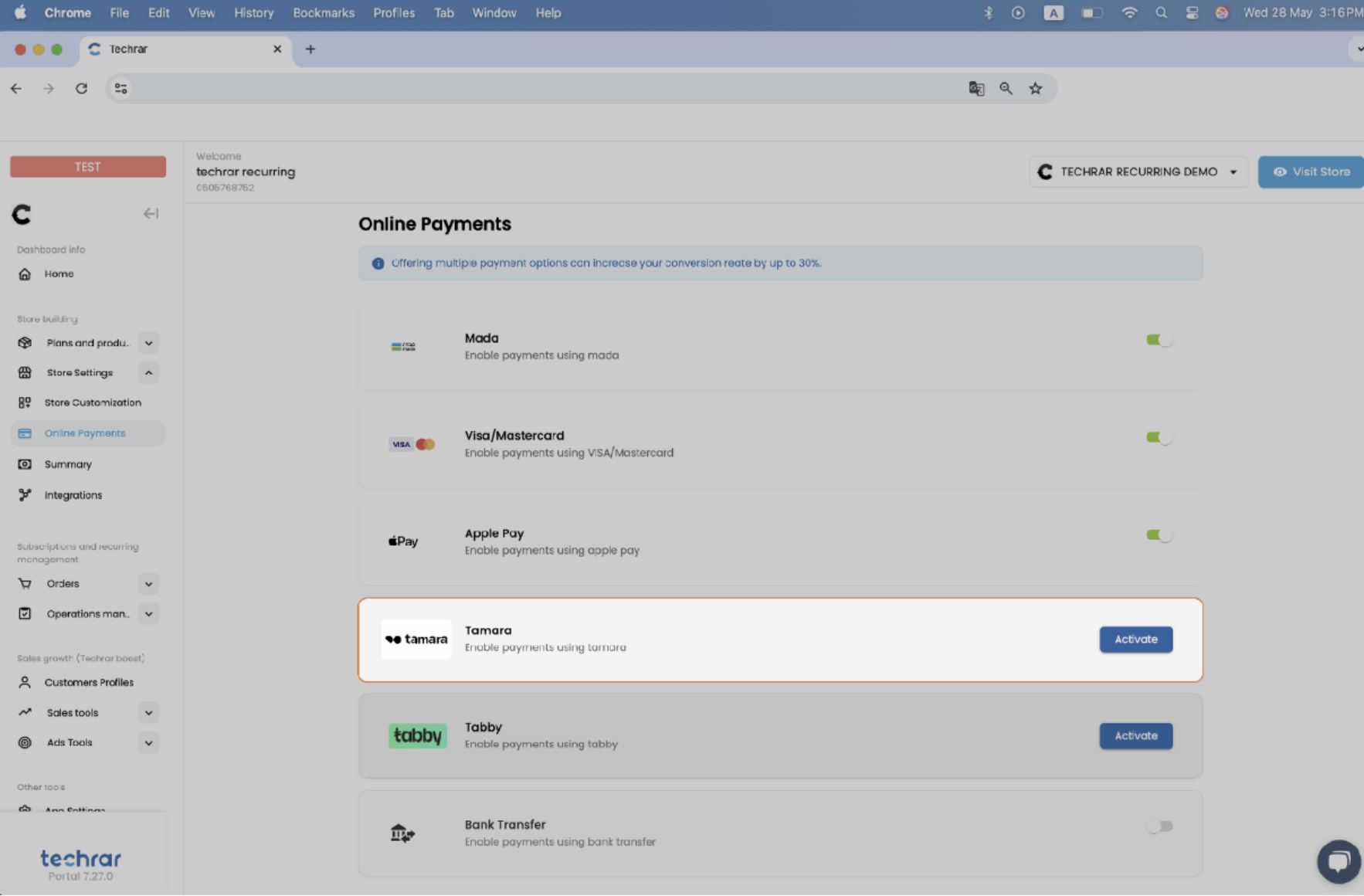
Find the Tamara Payment Option and click on Activate.
Step 4:
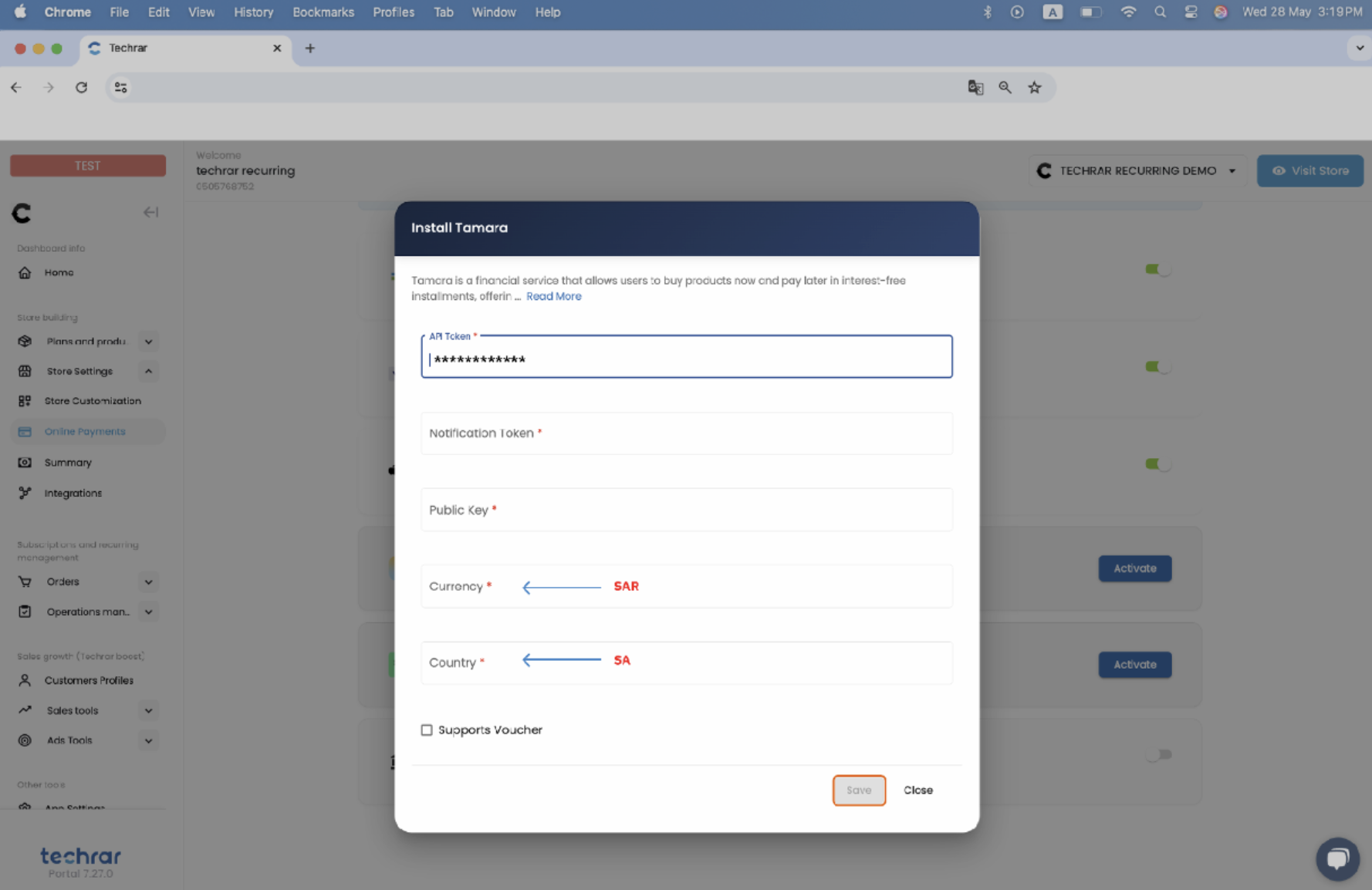
Retrieve your merchant details from Tamara's dashboard and paste them into the Techrar dashboard:
- API Token
- Notification Token
- Public Key
Set your Currency as “SAR” and Country as “SA” for Saudi Arabia, then click Save.
👍 👍 That's it! Tamara is now active in your store, and your customers can benefit from it.
Need Help? If you have any questions or encounter any issues, our partner support team is here to assist you. Contact us via email at [email protected] or reach out to Tamara at [email protected].
Updated 4 months ago