
Widgets
Steps to implement
- Go to International > Localization >
- Configuration Section:
- Default country: Saudi Arabia
- Default Currency: SAR
- Configuration Section:
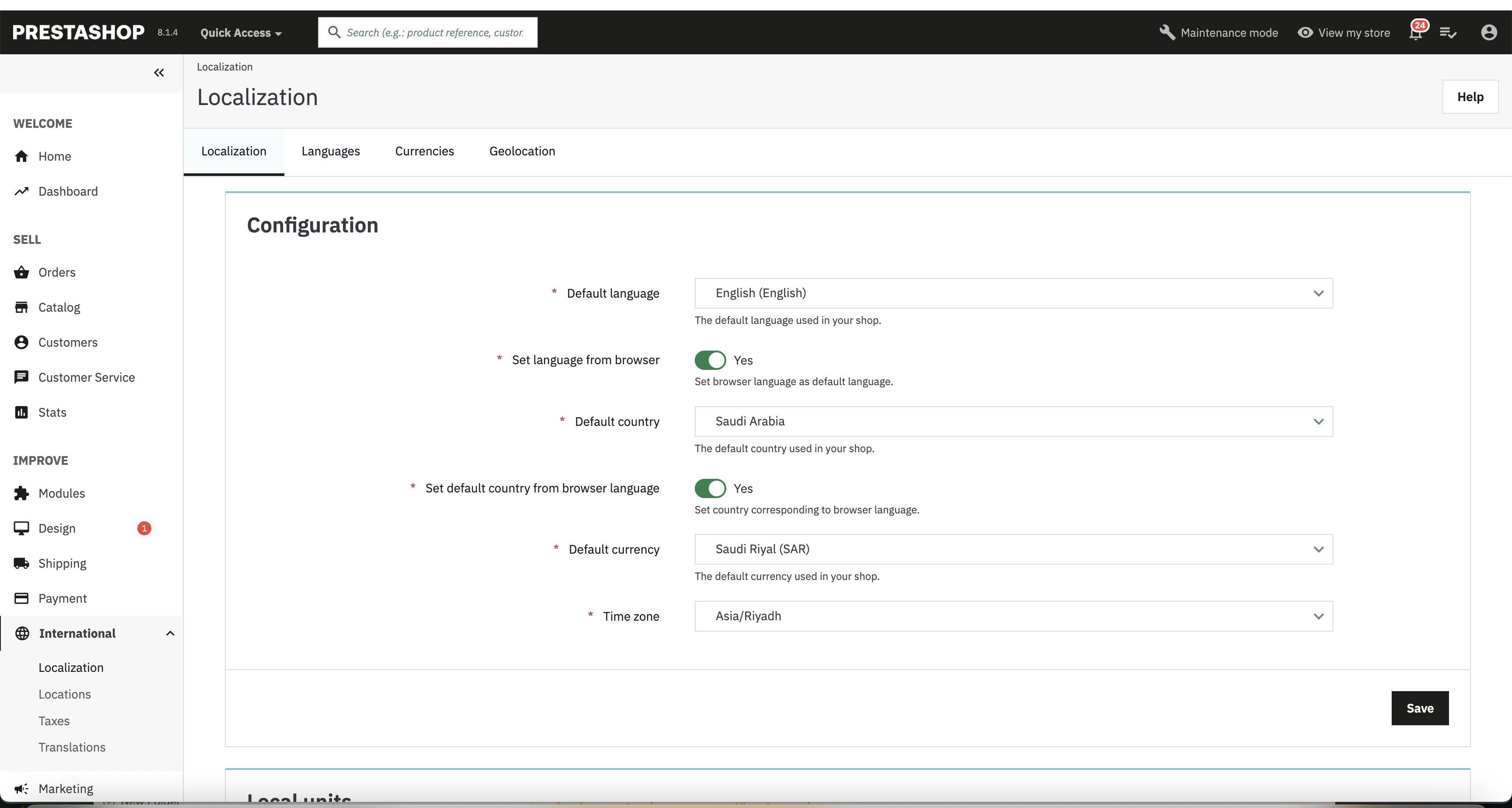
- After updating, click Save
- Advanced Section:
- Country identifier: sa
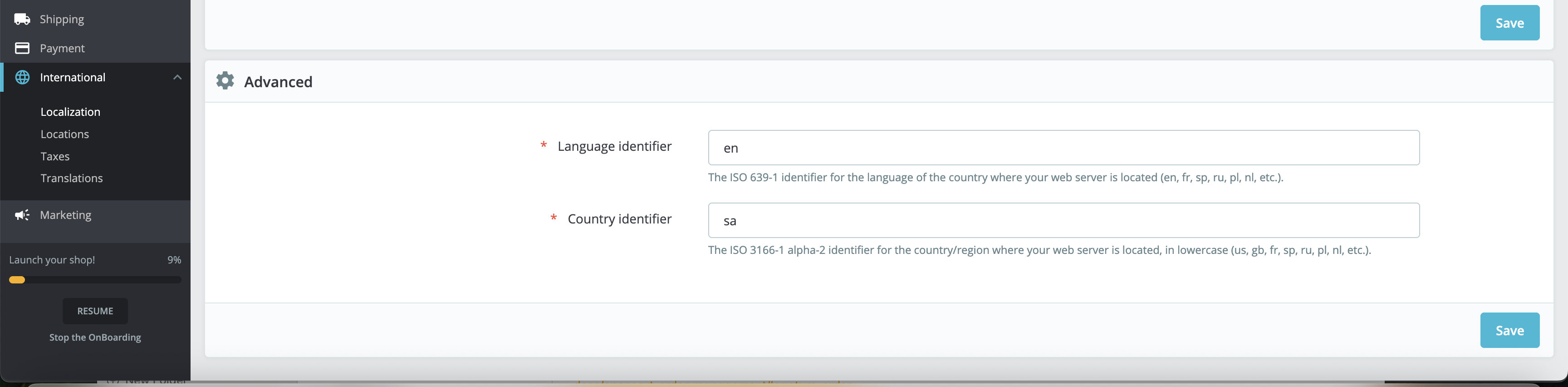
- After updating, click Save
- Refresh the product page on your platform and check, the Tamara widget should be visible.
Product Widget
This widget is displayed on the product details page, only when the following conditions are met:
The product price is within the merchant limits
The payment method displayed on the widget will depend on which payment options are offered by Tamara.
Below is an example of this widget:
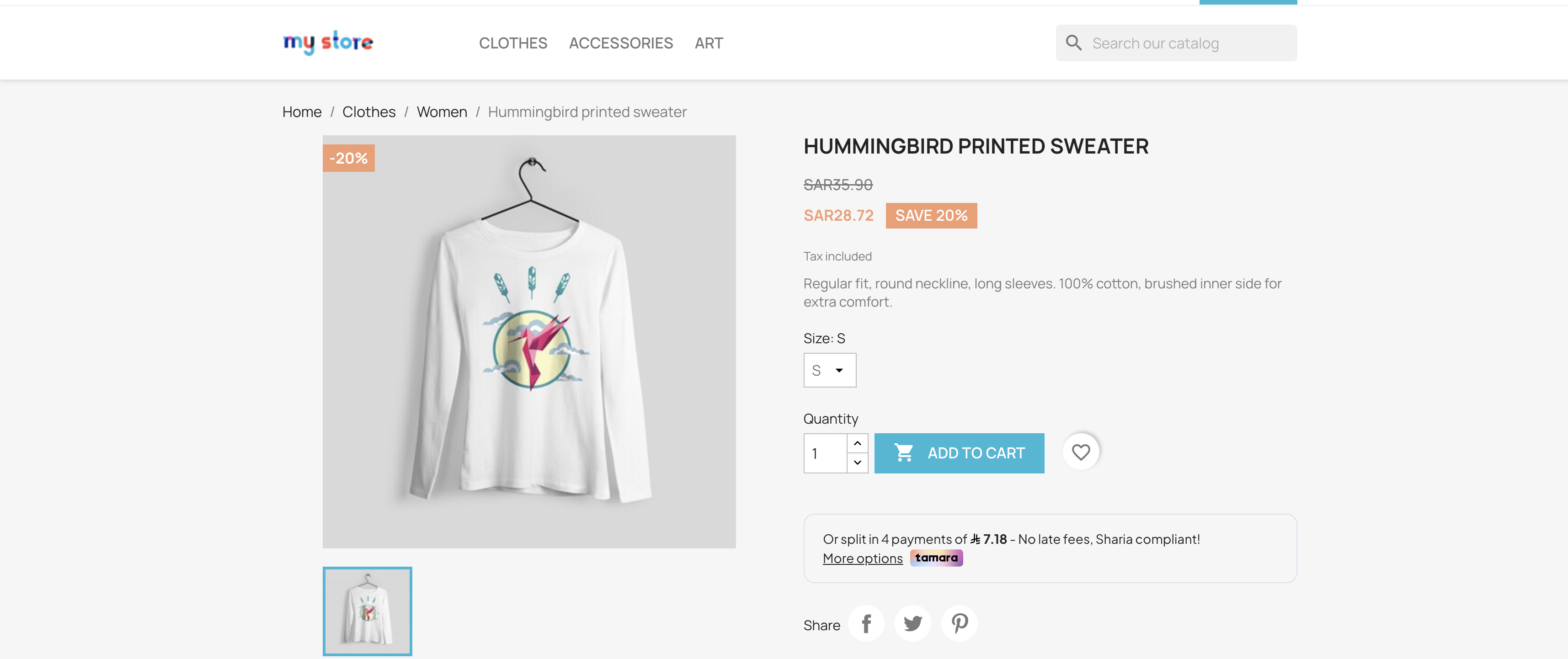
If you want more information about Tamara widgets, visit our Widgets - Promotional Messaging page.
Updated 6 months ago
Did this page help you?